Contact us to register you or your team for a Advance Steel training course.
Advance Steel Training
Learn Advance Steel or improve your skills with highly qualified instructors at our Authorised Training Centres. Participate from anywhere online, or attend in person at our Auckland or Christchurch-based venues.
Our Advance Steel courses
Duration: 4 days
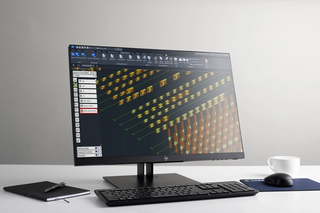
The Advance Steel Fundamentals training course covers essential and core topics for working with Advance Steel software. During the training, you will create a sample 3D steel model and generate documentation, including GA plans, bills of materials, and shop drawings, based on predefined standards.
Topics covered include:
- Starting a project
- The Advance Steel user interface
- Creating and editing drawings
- Coordinate systems
- Basic structures
- Automatic joints
- Beam features
- Plates and plate features
- Connection elements and custom connections
- Structural elements
- Project explorer
- Validating a structure
- Numbering
- Lists
- NC & DXF Files
Prerequisites:
Attendees will need experience with Autodesk AutoCAD and an understanding of structural detailing practices and documentation. Experience with the Windows operating system is also required.
Certification
Once attendees complete a course evaluation, an Autodesk certificate of completion is issued. You must complete the evaluation within thirty days of the course to receive the certification.
Duration: 1 day
This training course is aimed at intermediate Advance Steel users and builds on topics covered in the Advance Steel Fundamentals course. The course covers sophisticated techniques that will extend your mastery of Advance Steel and help you optimise your workflows through various settings and setups in the software.
Topics covered include:
- Optimising your template
- Creating your tool palette
- Numbering
- Using cameras for GA and detail drawings
- Introduction to drawing style customisation
- Introduction to drawing process customisation
- Setting up custom labels for manual labelling
- Document manager and working with approval statuses
- Larger models and making use of the work area tool
Prerequisites:
Those attending will require a level of AutoCAD competency equal to that of the Advance Steels Fundamentals course.
Certification
Once attendees complete a course evaluation, an Autodesk certificate of completion is issued. You must complete the evaluation within thirty days of the course to receive the certification.
Don't see what you are looking for? Cadpro offer custom training options tailored to your team's needs and knowledge gaps. Speak with our training team today to find out more.
Get in touch for dates and pricing
Our trainers
Our skilled, accredited instructors draw on real-world industry experience to deliver practical and useful insights. Tap into their insights with our hand-on, interactive classroom training sessions.
Additional services
Cadpro services
Software support
Our expert technical team provides rapid and reliable support to ensure your workflows remain uninterrupted. We're here to troubleshoot issues, resolve errors, and answer your questions – minimising downtime and maximising productivity.
Cadpro services
Consulting
Get a tailored roadmap to success. Our specialised consultants bring decades of experience, real-world industry expertise and local market knowledge to customise a strategy that fits your business, team and budget. Whether it's onboarding, deployment, integration or more, our trusted team will guide you every step of the way with honest, expert advice.
Cadpro services
Software automation & add-ins
Unlock the full potential of your software with a custom add-in that powers productivity. Whether it's a tiny tweak or a complex script, our technical team is adept in developing automations that streamline your workflows and improve efficiency.