Contact us to register you or your team for Autodesk Construction Cloud training.
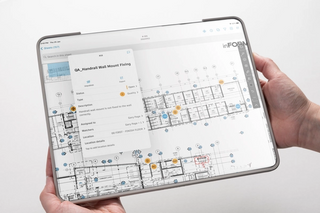
Autodesk Construction Cloud Training
Learn Autodesk Construction Cloud or improve your skills with our highly qualified instructors.
Explore our range of Autodesk Construction Cloud Accelerators. Designed as short training sessions that have a big impact on your construction workflows.
Our Autodesk Construction Cloud accelerators
An onboarding session which establishes a clear framework for team success. We’ll cover account administration and project management, guiding your team through the initial set up, configuration and standardisation of your project environment according to best practice.
Topics covered include:
- Subscriptions and licensing
- Account administration — user accounts and permissions
- Project administration — settings and configuration
- Project start
- Health dashboard
Prerequisites:
Access to the following products and Autodesk Construction Cloud is recommended to get the best out of this service:
- Autodesk Docs license
- Autodesk Account access
A crash course introduction to effective document management and collaboration using Autodesk Docs. We’ll guide you through organisation best practice to maintain file integrity, enhance navigation and streamline reviews.
Topics covered include:
- File management
- File versioning
- Document comparison
- Issues and markups
- Autodesk Desktop Connector
- Health dashboard
Prerequisites:
Access to the following products and Autodesk Construction Cloud is recommended to get the best out of this service:
- Autodesk Docs license
- Autodesk Construction Cloud Project access
An in-depth guide to effective document management and collaboration using Autodesk Docs. We’ll provide detailed guidance on advanced techniques to streamline project approvals, securely store and share project information and maintain documentation standards.
Topics covered include:
- Naming standards
- Approval workflows
- Transmittals
- Packages
- Autodesk Desktop Connector
- Health dashboard
Prerequisites:
Access to the following products and Autodesk Construction Cloud is recommended to get the best out of this service:
- Autodesk Docs license
- Autodesk Construction Cloud Project access
- Document Management Core Accelerator completed or have enough experience working on Autodesk Docs.
Gain an understanding of Autodesk Build for effective project management. You’ll learn to manage RFIs, shop drawing submittals, daily field reports, schedules and work planning, and construction documentation – improving project efficiency and delivery.
Topics covered include:
- Sheets
- RFIs
- Submittals
- Daily reports
- Schedule
- Work plan
- Reports
- ACC mobile app
Prerequisites:
Access to the following products and Autodesk Construction Cloud is recommended to get the best out of this service:
- Autodesk Build
- Autodesk Construction Cloud Project access
- Autodesk Desktop Connector installed
- Basic understanding of Autodesk Docs
Learn to connect project data across multiple Autodesk Construction Cloud (ACC) projects and accounts using Bridge. We’ll guide you through best practices for integration and synchronisation to improve data management, enhance collaboration and streamline workflows.
Topics covered include:
- Navigating and using Autodesk Bridge
- Permissions
- Workflows
- Managing Bridged projects
- View Bridged content
- Autodesk Desktop Connector
- Health dashboard
Prerequisites:
Access to the following products and Autodesk Construction Cloud is recommended to get the best out of this service:
- Autodesk Docs/BIM Collaborate Pro
- Autodesk Construction Cloud Project access
- Autodesk Desktop Connector installed
- Basic understanding of Autodesk Docs
Learn to use BIM Collaborate Pro for seamless design collaboration with Civil 3D, following best practices. Master essential skills and workflows like setting up folder structures, centralised data management, and multi-disciplinary collaboration.
Topics covered include:
- Folder structure and template
- Using ‘External References’ in Cloud project
- Configuring Data Shortcuts in the cloud
- Uploading existing local projects to ACC (Autodesk Construction Cloud)
- Sheet Set Manager for Web
- Sharing Civil 3D surface with Revit users via Docs
Prerequisites:
Access to the following products and Autodesk Construction Cloud is recommended to get the best out of this service:
- Civil 3D
- BIM Collaborate/Pro license
- Autodesk Construction Cloud Project access
- Autodesk Desktop Connector installed
- Basic understanding of Autodesk Docs
Learn to utilise BIM Collaborate Pro for seamless design collaboration with Revit, adhering to best practices. Master essential tools to enhance collaborative design workflows, such as team folders, centralised cloud-based data management, and publishing methods.
Topics covered include:
- Team folder setup
- Uploading data to ACC (Autodesk Construction Cloud)
- Design workflows
- Publishing
- Understanding linking
- Autodesk Desktop Connector
- Health dashboard
Prerequisites:
Access to the following products and Autodesk Construction Cloud is recommended to get the best out of this accelerator:
- Autodesk Revit license
- BIM Collaborate Pro license
- Autodesk Construction Cloud Project access
- Autodesk Desktop Connector installed
- Basic understanding of Autodesk Docs
- Experience with Workshared Revit models
- Understanding of shared coordinates
Designed to enhance project coordination, efficiency and communication according to best practice workflows. We’ll guide you through configuring your project environment, automating clash detection and streamlined issue management.
Topics covered include:
- Coordination spaces
- Models and views
- ClashesI
- ssue tracking
- Reporting and documentation
- Add-ins: Revit and Navisworks
Prerequisites:
Access to the following products and Autodesk Construction Cloud is recommended to get the best out of this service:
- BIM Collaborate/Pro license
- Autodesk Construction Cloud Project access
- Autodesk Desktop Connector installed
- Basic understanding of Autodesk Docs
Master the essential coordination tools in Autodesk Revit and understand their importance. We’ll demonstrate how to correctly prepare DWG files for Revit, set up and share coordinates, and link Revit and DWG files.
Topics covered include:
- Recommended file structure
- BIM Execution Plan (BEP)
- Differences between Revit and AutoCAD with coordinates
- Revit coordination tools
- Project base point, survey point and internal origin
- Preparing a DWG file
- Linking files into Revit
- Applying coordinates
- Exporting DWGs with coordinates from Revit
Prerequisites:
Attendees must have a basic understanding of Revit functionality.
Gain an understanding of Autodesk Build for effective asset management. You’ll learn to establish and manage asset databases, track equipment and material assets through construction documentation and models in the field, and manage the project closeout process.
Topics covered include:
- Sheets
- Commissioning checklist
- Model asset mapping
- Asset progress tracking
- Autodesk Construction Cloud mobile app
Prerequisites:
Access to the following products and Autodesk Construction Cloud is recommended to get the best out of this service:
- Autodesk Build
- Autodesk Construction Cloud Project access
- Autodesk Desktop Connector installed
- Basic understanding of Autodesk Docs
Learn to use Autodesk Build for effective quality and safety management. We’ll guide you through conducting QA/QC and site observation inspections, tracking field issues, ensuring safety compliance with safety standards and managing construction documentation.
Topics covered include:
- Sheets
- Quality checking and defect lists
- Safety planning and inspections
- Field record capture
- Issue management
- Reports
- Autodesk Construction Cloud mobile app
Prerequisites:
Access to the following products and Autodesk Construction Cloud is recommended to get the best out of this service:
- Autodesk Build
- Autodesk Construction Cloud Project access
- Autodesk Desktop Connector installed
- Basic understanding of Autodesk Docs
Learn to use Autodesk Takeoff for accurate quantity surveying and estimating. Combine 2D and 3D data to streamline processes and improve precision, confidently creating more competitive bids — faster.
Topics covered include:
- Overview of Autodesk Construction Cloud toolset
- Takeoff interface
- Measurement and classification systems
- Publishing 2D Sheets and performing 2D takeoffs
- Upload 3D models and automate 3D takeoffs
- Create Packages to organise your takeoff data
- Combine 2D and 3D takeoffs
- Generate conceptual estimates
Prerequisites:
Access to the following products and Autodesk Construction Cloud is recommended to get the best out of this service:
- Autodesk Construction Cloud Project access
- Autodesk Desktop Connector installed
- Basic understanding of Autodesk Docs
- Autodesk Takeoff access
An introduction to ISO 19650 standards and how they can optimise AEC projects for success. We’ll guide you through how to manage information and standardise documentation using ISO 19650 workflows.
Topics covered include:
- What is ISO 19650?
- Why do we need ISO 19650?
- Common Data Environment (CDE)
- Information workflows
- buildingSMART
Prerequisites:
No prerequisites necessary.
Learn to use data analytics and reporting tools in Autodesk Docs and Autodesk Build. Master Autodesk Insight to leverage project data, track metrics, and generate insights – optimising decision-making for greater project efficiency.
Topics covered include:
- Reports
- Insight cards
- Data connector
- Shared dashboards
- Power BI templates
- Construction IQ
Prerequisites:
Access to the following products and Autodesk Construction Cloud is recommended to get the best out of this service:
- Autodesk Build
- Autodesk Construction Cloud Project access
- Autodesk Desktop Connector installed
- Basic understanding of Autodesk Docs
Don't see what you are looking for? Cadpro offer custom training options tailored to your team's needs and knowledge gaps. Speak with our training team today to find out more.
Get in touch for dates and pricing
Our trainers
Our skilled, accredited instructors draw on real-world industry experience to deliver practical and useful insights. Tap into their insights with our hand-on, interactive classroom training sessions.
Additional services
Cadpro services
Software support
Our expert technical team provides rapid and reliable support to ensure your workflows remain uninterrupted. We're here to troubleshoot issues, resolve errors, and answer your questions – minimising downtime and maximising productivity.
Cadpro services
Consulting
Get a tailored roadmap to success. Our specialised consultants bring decades of experience, real-world industry expertise and local market knowledge to customise a strategy that fits your business, team and budget. Whether it's onboarding, deployment, integration or more, our trusted team will guide you every step of the way with honest, expert advice.
Cadpro services
Software automation & add-ins
Unlock the full potential of your software with a custom add-in that powers productivity. Whether it's a tiny tweak or a complex script, our technical team is adept in developing automations that streamline your workflows and improve efficiency.