Cadpro assists structural engineering teams with Revit, BIM, and 3D modelling services. Contact us to discover how our structural BIM and digital engineering experts can help your organisation.
Article![Ignus Erasmus]()
8 reasons why structural engineers thrive in 3D
For decades, structural engineers have delivered projects using 2D drawings in plans, sections, and details with endless revisions. While 2D will always have its place in documentation, the industry has shifted. Today, the real power lies in 3D modelling, and for structural teams, the benefits are too significant to ignore. Working in Autodesk Revit or similar BIM platforms isn’t just a software preference; it's a fundamental upgrade in how we coordinate, design, communicate, and manage risk across the entire project lifecycle. In this article, we'll break down why.

Author
Ignus Erasmus
AEC BIM Technical Consultant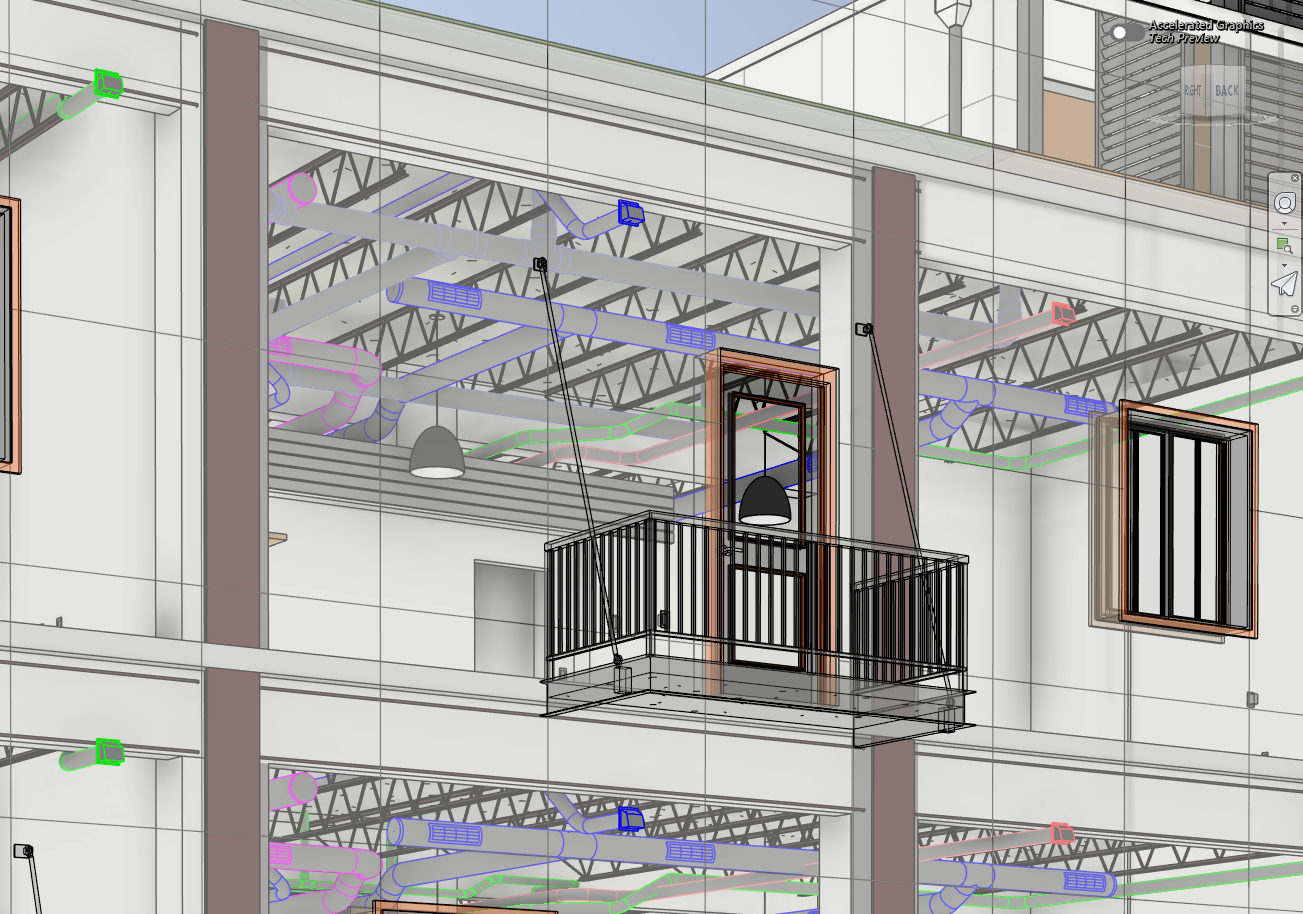
3D models reveal what 2D drawings hide
2D drawings are abstractions. They rely on interpretation, assumptions, and experience. But even the best detailer can’t visually resolve every spatial relationship in 2D.
In comparison, 3D models:
- Show geometry exactly as it exists
- Eliminate ambiguity in beam/column/slab relationships
- Highlight constructability issues early
- Reduce misinterpretation between disciplines
When you can orbit around a connection, slice a live section, or isolate a structural bay, it eliminates guess work and ambiguity.
Clash detection: the Structural engineer’s early warning system
Clashes are inevitable in complex buildings. The question is whether you find them in design or on site.
With a coordinated 3D model:
- Interferences with ducts, pipes, cable trays, and architecture are flagged automatically
- Structural penetrations can be validated early
- Beam depths and service zones can be coordinated
- Costly RFIs and site rework are dramatically reduced
Clash detection transforms coordination from reactive to proactive. Instead of discovering a duct running through a beam during construction, you can resolve it months earlier in the design.
Intelligent structural scheduling
Revit’s ability to generate live schedules is one of the most underrated advantages for structural teams.
With a 3D model, schedules become:
- Automatic — no manual counting or cross-checking
- Dynamic — updates instantly when the model changes
- Consistent — no mismatches between drawings and schedules
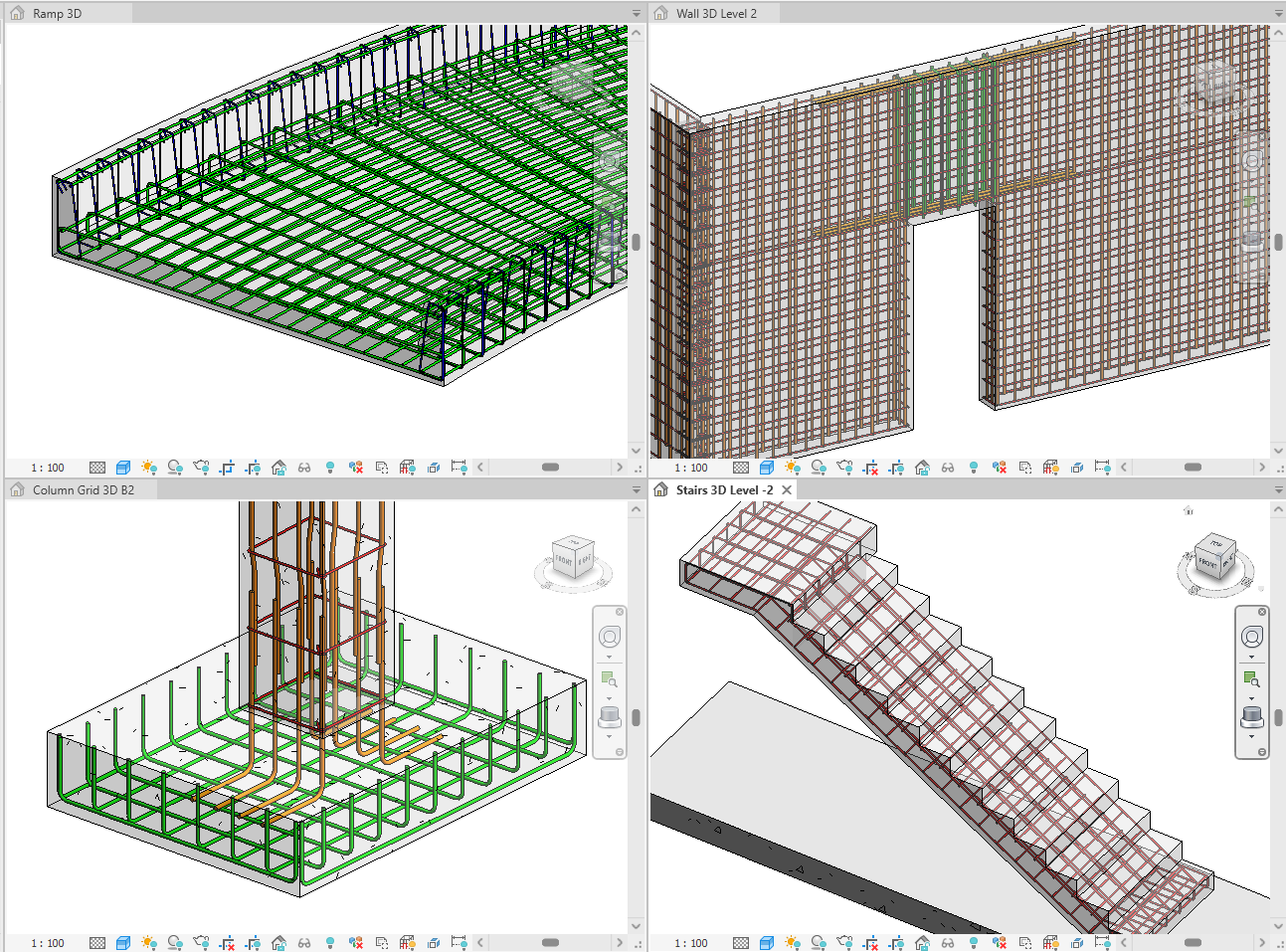
Whether you’re managing rebar quantities, steel tonnage, precast panel counts, or foundation sequencing, live schedules ensure your data is always accurate and always aligned with the model.
More benefits of using 3D models for structural engineers
In 2D workflows, a single change can ripple across dozens of sheets. Miss one update, and you’ve introduced a coordination error.
In a 3D model:
- A change is made once and reflected everywhere
- Revision clouds and histories track what changed and when
- Dependent views update automatically
- Schedules and tags remain consistent
- The risk of human error drops dramatically
This is especially powerful for structural disciplines where changes to grids, levels, or member sizes can affect the entire building.
Structural engineering doesn’t happen in isolation. Every decision interacts with architecture and building services.
3D models allow:
- Visualisation of how structure supports architectural intent
- Early identification of MEP routing constraints
- Clear communication of structural zones and tolerances
- Shared understanding of load-bearing vs non-load-bearing elements
- Faster resolution of design conflicts
Instead of trading marked-up PDFs, teams collaborate around a single source of truth.
Contractors and fabricators increasingly expect 3D-ready deliverables.
A structural model supports:
- Accurate shop drawing extraction
- Precast panelisation and lifting design
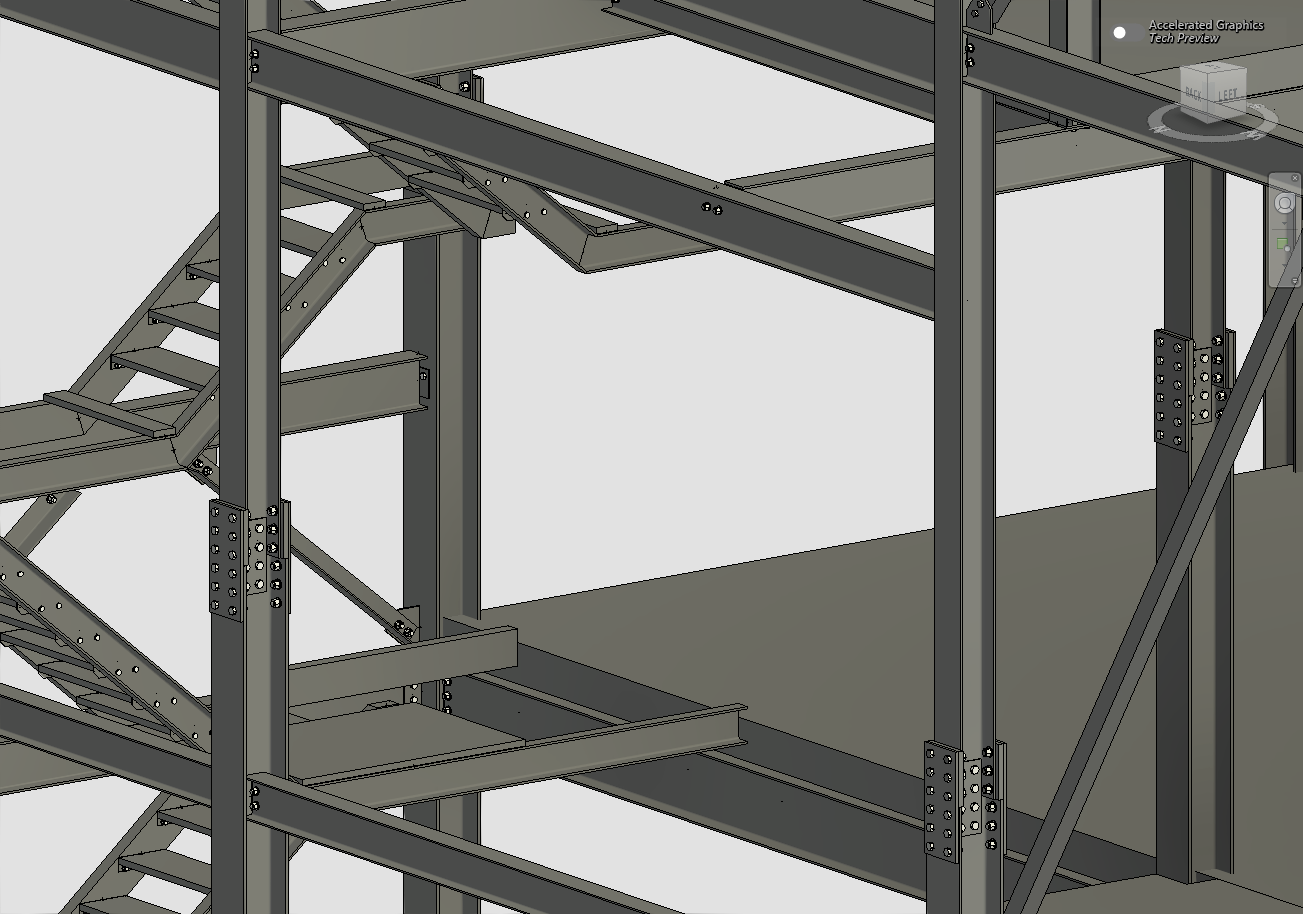
- Steel connection modelling
- Rebar modelling and clash checks
- Digital QA/QC workflows
- Model-based quantity take-offs
Clients often struggle to interpret 2D drawings. A 3D model bridges that gap instantly.
Structural engineers can:
- Present design intent visually
- Walk stakeholders through complex areas
- Demonstrate structural strategies clearly
- Build trust through transparency
A 3D model isn’t just a design tool, but a communication tool as well.
As buildings become smarter, the structural model becomes part of the long-term digital asset.
A well-built 3D model supports:
- Digital twin integration
- Maintenance planning
- Structural health monitoring
- Lifecycle asset management
- Future renovations and expansions
2D drawings simply can’t offer this level of longevity.
Partner with Cadpro for structural BIM and Revit modelling services
FAQs about structural 3D modelling and BIM
Yes. 2D drawings remain the standard deliverable for documentation and building consent. In a 3D workflow, they're generated from the model rather than drawn separately. Plans, sections, elevations, and schedules all come from a single model, so when the design changes, every drawing updates accordingly.
The biggest gains are fewer coordination errors and less rework. A 3D model accurately shows beam, column, and slab relationships and flags clashes with services before construction. It also generates live schedules and carries design changes through every view automatically. And it makes structural intent easier for architects, contractors and clients to understand.
Autodesk Revit is widely used in structural engineering because it enables Building Information Modelling workflows and coordinated project delivery.
The Autodesk AEC Collection bundles Revit with Robot Structural Analysis Professional for analysis, Advance Steel for steel detailing, Navisworks Manage for coordination, and AutoCAD for 2D work.
Yes. Revit generates live schedules directly from the model, covering rebar quantities, steel members, precast panel counts and foundation elements. Because the schedules read from the model, they update instantly when members change. That removes manual counting and the mismatches that occur when schedules and drawings are maintained separately.
A change is made once in the model and reflected everywhere, with plans, sections, tags and schedules updating automatically. Moving a grid, adjusting a level or resizing a member no longer means checking dozens of individual sheets. That sharply reduces the risk of coordination errors slipping into issued drawings.
Yes. Revit can link or import DWG files, so existing standard details, underlays and consultant drawings stay usable during the transition. A phased approach usually works best: model new projects in Revit while keeping established 2D details, rather than converting your whole library upfront.
It depends on team size, project pipeline and how much template setup is needed. Most firms phase the change: train a core group, build structural templates and families, then run a pilot project before rolling out across teams. Structured training and implementation support shortens the learning curve and limits productivity dips on live projects.
A structural model supports shop drawing extraction, steel connection modelling, rebar clash checks, precast panelisation and model-based quantity take-offs. Fabricators work from accurate geometry instead of reinterpreting 2D drawings. That reduces fabrication errors and supports better construction sequencing.
Cadpro is an Autodesk Platinum Partner in New Zealand, providing Revit training, implementation support and AEC Collection licensing. We help structural teams set up templates and workflows, upskill staff, and move from 2D documentation to coordinated 3D models without disrupting live projects. Talk to our team to plan your transition.