Contact our team about our Autodesk Construction Cloud products and services today.
Case study
Aquaheat elevates project delivery with Autodesk Build
Project Location:
Parliamentary Services, Wellington, New Zealand
Services provided:
Autodesk Build implementation and support
The challenge
As New Zealand's leading HVAC/mechanical contractor, Aquaheat is often at the forefront of complex and demanding projects. When tasked with the critical refurbishment and remediation of the roll grooved mechanical services heating water system within the NZ Parliamentary Services building, the company faced a significant challenge.
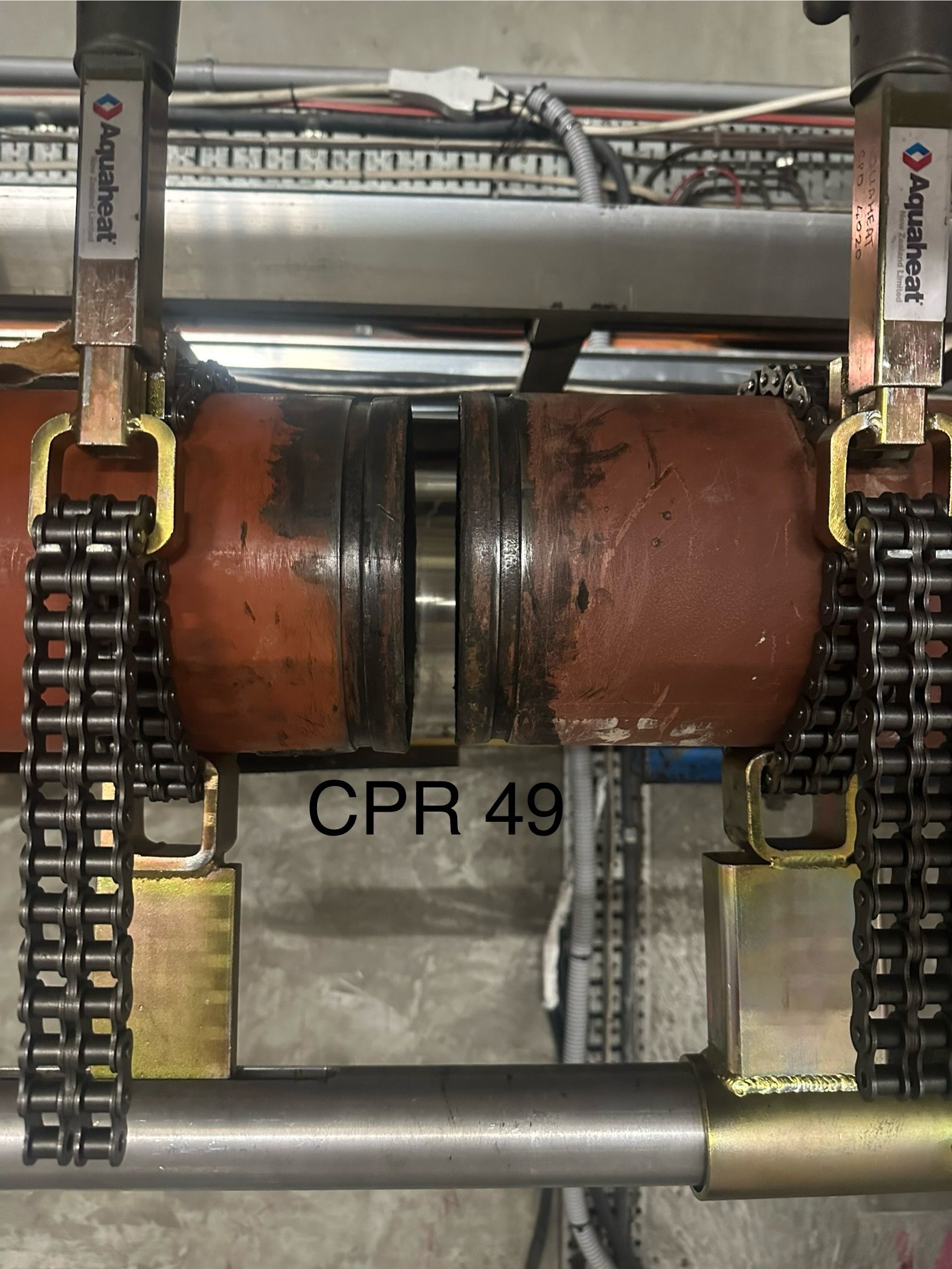
The difficulty with the job lay in replacing 1400 pipe ‘couplings’ (the fittings that connect different pipe segments and or fittings together). This meant that two grooves at each connection point – 2800 in total – all had to be individually measured for compliance to four different technical standards. “There was no simple way of doing that,” says Rob McBride-Wilson, Aquaheat Central's Contracts Manager. The conventional quality assurance (QA) approach would have involved taking multiple photos per groove and coupling and aligning these with handwritten notes. “It was a very unique set of circumstances around having to replace that many couplings, but also to perform that level of QA on a pre-existing installation.”
The project had a tight deadline and required collaboration across numerous stakeholders and subcontractors, including Parliamentary Services (the customer), Victaulic (manufacturer of the couplings), S&T Wellington (mechanical engineers), and, of course, Aquaheat (executor of the physical works). Furthermore, the project presented strict security and scheduling requirements, given its location on busy government premises.
Aquaheat's existing manual workflows for QA, quality control (QC), and issue management were time-consuming and lacked continuity. This created risks – missing data, communication delays, costly rework – which could jeopardise the project schedule. Aquaheat needed a solution to connect data across workflows, streamline processes, and improve efficiency and accuracy.
Project goals
Rob had attended a Cadpro/Autodesk Construction Cloud Masterclass and believed that technology was key to overcome these challenges and fast-track delivery. He led the charge in the Wellington team’s digitisation efforts, seeking a holistic solution that would streamline processes and improve communication. His goal was to find a platform that could not only deliver this particular project but also serve as a pilot for adoption across the wider business.
“Cadpro is really passionate about interoperability, the tentacles that go out into all the other functionality – which is really useful for people like myself. We don't know what we don't know. So if they don't provide their insight to us, we're never going to be able to explore those opportunities.”
“The Cadpro team’s commitment and product knowledge is huge. They were able to quickly see the opportunities that the Autodesk family of software could solve. They understood what we needed, exposed us to things we didn't even consider, and then demonstrated to us how to go about it.”
Rob McBride-Wilson, Contracts Manager at Aquaheat Central
The solution
Cadpro partnered with Aquaheat to translate their existing manual processes into connected digital workflows. The project began with a comprehensive Business Process Assessment (BPA) to unpack and audit current practices and identify the specific tools that would best meet Aquaheat's immediate project delivery goals and long-term operational objectives. Given their existing use of Autodesk Revit, Cadpro recommended and implemented Autodesk Build, a core solution within the Autodesk Construction Cloud (ACC) platform and worked closely with the Wellington Aquaheat team to deploy the software and refine the implementation.
Cadpro were instrumental in helping to expedite the rollout and smooth the transition from manual to digital workflows. “The Cadpro team’s commitment and product knowledge is huge. They were able to quickly see the opportunities that the Autodesk family of software could solve,” says Rob. “They understood what we needed, exposed us to things we didn't even consider, and then demonstrated to us how to go about it.
Business outcomes
By using Autodesk Build, Aquaheat was able to create a proficient digital QA process. This allowed the on-site team to quickly and easily perform checks for each of the coupling’s four criteria and link the data to pre-existing Asset IDs within Build. “The efficiency around using Build for that purpose was invaluable. It would have been a nightmare any other way.” Rob describes Build as a “golden arrow” that helped to resolve several challenges in this project. “The time saving alone was massive.”
For example, setting up Builders Works issues in Build allowed Aquaheat to easily identify issues, then track and resolve them in real time. The on-site team could quickly log an issue directly in the system, conveniently pinpointing where the problem was on a digital plan as every location was already set up in Build. Instead of relying on manual methods like printing documents, handwriting markups, or sending emails, the team could communicate the issue directly to the client through the platform. “The ease of articulating a challenge, communicating that to the customer and then getting it attended to was massive. If Build had not enabled it to work that efficiently, we would never have got to where we needed to get to,” Rob says.
In addition, all the records had to be presented to the client on completion. So not only was it far more efficient to use Autodesk Build for QA purposes, but it also allowed Aquaheat to document and report in real time – should the customer have requested it. “It was the speed with which we're able to provide that information,” says Rob. “We're able to deliver a complete data set back to the customer. It contained all the QA results and information alongside all the issues and changes that were observed on site.”
And it’s not just the client that benefited from Build’s meticulous digital record keeping. Typically, PDFs are manually annotated, leading to messy documentation that lacks clarity. On handing over to the consulting engineers at S&T Wellington, the quality of the dataset in Build meant the project could continue progressing at pace – despite the data being interpreted by an external stakeholder. “We didn't get one question back. All the IP that we had gained from our site experience and the execution of the work was resident in Build, as it integrated with the model,” says Rob. “The consultant was able to receive the complete package, do their part, and then deliver it back to the customer. From our point of view that could not have been a more efficient process,” he says.

Conclusion
In his experience, Rob believes there’s nothing else that would have been suitable for this application. “Nothing else would have allowed the same efficiencies that we're able to realise through the application of Build.”
And Aquaheat is still uncovering the benefits of Build. “As late as yesterday, we identified the benefits of the inbuilt markup tool for PDFs and immediately rolled out four new projects into Build. It gives the ability to demonstrate a high level of competence both internally and externally by using the tools that are available.” As he says, “there's no end to the productivity gains and efficiency gains that we can get through appropriate utilisation of the tools.”